
How DNS filtering blocks unsafe content inside apps
23 July 2026 · James Pearson
Short answer: DNS filtering checks every website your child’s device tries to reach the moment it looks up that site’s address, and refuses to connect to unsafe categories like adult content, gambling, or malware. Because almost every app (not just the browser) has to do that lookup, DNS filtering blocks harmful content inside apps too, and good filters also close the loopholes that would otherwise let a device sneak around them.
If you have ever wondered how a parental-control app can block something in a game, a social feed, or a random app you have never heard of, the answer is usually DNS filtering. It sounds technical, but the idea is simple once you see what is happening behind the scenes.
What DNS actually is
Every website and online service lives at a numeric address called an IP address, something like 192.0.2.45. People cannot remember numbers like that, so we use names such as example.com instead. DNS (the Domain Name System) is the phone book that translates the name into the number.
Here is the key part: before any app can load anything, it has to look up the address first. When your child opens a video app, taps a link, or a game loads an ad, the device quietly asks a DNS server, “What is the address for this domain?” That happens hundreds of times a day, and it happens for every app, not just the web browser.
DNS filtering works by sitting in the middle of that lookup. Instead of blindly answering every question, the filter first asks, “Is this domain something a child should reach?” If the answer is no, it simply declines to hand back the address, and the connection never happens. The app gets nothing to load, so the unsafe content never arrives.
How category filtering works
Fyltec does not keep a hand-written list of every bad website on the internet, that would be impossible to maintain. Instead, filtering works by category. Domains are grouped into categories such as adult content, gambling, malware and phishing, and so on, using large, continuously updated blocklists maintained by internet-safety researchers.
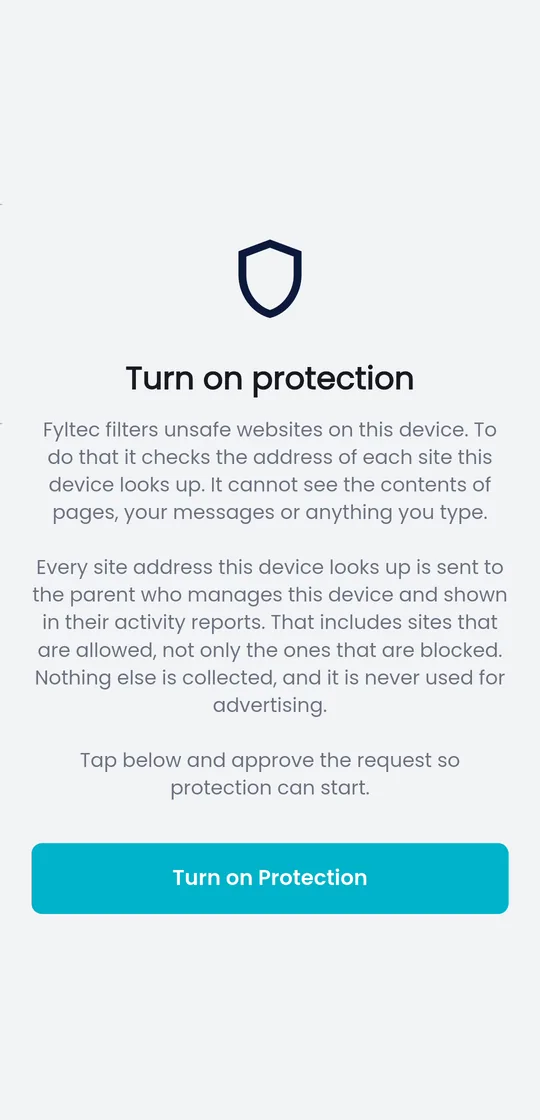
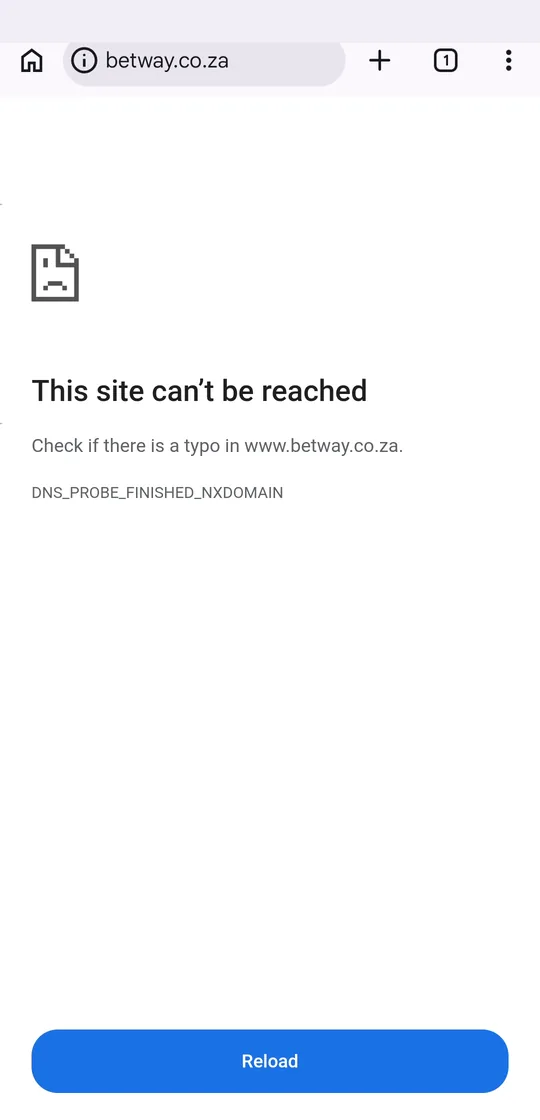
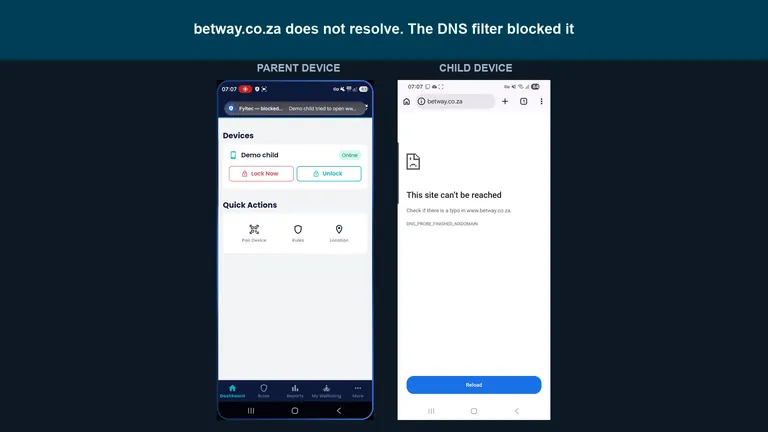 Watch: a blocked site on the child's phone, and the parent alertParent phone on the left, child phone on the right. Gambling is blocked, ChatGPT still works. 1:19 on YouTube.
When you set up Fyltec, you are really choosing which categories to refuse. A lookup for a domain in a blocked category gets turned away; a lookup for a normal, safe site passes through untouched and loads at full speed. Nothing is stored on the device, and browsing is not slowed down in any noticeable way, the check happens in the split second the lookup was already going to take.
Because the categories are updated regularly, new adult or scam sites that appear are caught without you having to do anything. You are not playing whack-a-mole with individual URLs; you are setting a policy once and letting it keep up.
Why it catches content that browser filters miss
Many parental controls only work inside a specific web browser. That leaves a big gap, because children spend most of their time in apps, social media, games, video, messaging, not in the browser. A browser-only filter has no idea what those apps are loading.
DNS filtering closes that gap. Since every app on the device relies on the same DNS lookups to reach the internet, filtering at that layer covers all of them at once:
- Adult or violent content surfaced inside a social or video app is blocked when the app tries to fetch it.
- Gambling and betting services are refused whether they are opened in a browser or an app.
- Malware and phishing domains are turned away before they can load, which protects the whole device, not just what your child intended to visit.
- Ads that pull in inappropriate content inside otherwise ordinary apps are cut off at the lookup.
This is why a DNS-based approach is so much more thorough than a browser toggle: it protects at the level the whole device shares, so there is no “safe in the browser but wide open in apps” blind spot.
Closing the bypass loopholes
Filtering is only as good as its ability to resist being routed around. A determined child, or just a device with privacy features switched on by default, can try to send DNS lookups somewhere the filter cannot see. A good filter has to harden against this, and Fyltec does.
Encrypted DNS (DoH/DoT). Modern browsers and operating systems can send DNS lookups over an encrypted channel (DNS-over-HTTPS or DNS-over-TLS) straight to a third-party server, skipping the filter entirely. Fyltec is built to detect and prevent this, so lookups cannot quietly slip past.
iCloud Private Relay. On Apple devices, Private Relay hides a device’s traffic by tunnelling it through Apple’s servers, which can defeat naive filters. Fyltec hardens against this too, so filtering stays effective rather than being switched off by a privacy setting.
Bypass hardening matters because a filter that is easy to sidestep is not really protection, it is a false sense of security. The point is not to trap or punish; it is to make sure the boundaries you and your child agreed on actually hold.
Filtering supports parenting, it does not replace it
DNS filtering is a strong safety net, but it is a tool, not a substitute for conversation. It reduces accidental exposure and blocks the worst categories automatically, which frees you to focus on the part that really matters: talking with your child about what they see online and why the boundaries exist. The technology handles the tedious, around-the-clock enforcement so you can do the mentoring. For the bigger picture on setting this up alongside other controls, see our complete guide to parental controls.
Fyltec’s filtering runs across every app on the device, keeps its categories current, and closes the common bypasses, all without collecting your child’s browsing history to do it.
Try Fyltec free for 7 days and see filtering work across every app, view plans and start your trial.
Frequently asked questions
Does DNS filtering slow down the internet?
No, not noticeably. The safety check happens during the address lookup that was going to occur anyway, so it adds only a tiny fraction of a second. Safe sites load at full speed; only unsafe ones are refused.
Can my child just turn it off or route around it?
Fyltec is designed to resist the common workarounds, including encrypted DNS (DoH/DoT) and iCloud Private Relay, which lesser filters miss. No filter is magic, but hardening against these bypasses is exactly what separates real protection from a setting a child can flip off in seconds.
Does DNS filtering read my child’s messages or browsing history?
No. Filtering only needs to see the domain being looked up in order to allow or refuse it, it does not record a browsing history or read message contents. For a fuller look at what a responsible parental-control app should and should not collect, see our guide on blocking adult content on your child’s phone.