
How to set bedtime and homework internet schedules
23 July 2026 · James Pearson
Short answer: Agree the windows together first, then set two simple schedules, a Bedtime window where the internet pauses (calls and SMS still work) and a Focus window that quiets distractions during homework. Keep both realistic so they survive contact with real family life, and revisit them as your child grows.
Most “screen time” fights aren’t really about minutes. They’re about when the phone is allowed to interrupt the parts of the day that matter, sleep and study. A schedule solves that directly. Instead of policing every session, you set the rhythm once and let it run in the background. Done well, it feels less like surveillance and more like a house routine everyone understands.
This guide walks through agreeing the windows, setting them up in Fyltec, and keeping them realistic enough that you’re not renegotiating every night.
1. Agree the windows together (before you touch any app)
The single biggest predictor of whether a schedule sticks is whether your child had a say in it. A rule that’s done with a teenager lasts; one done to them gets worked around. This is mentoring, not surveillance, you’re teaching them to manage their own attention, not just confiscating it.
Sit down for ten minutes and sketch two things:
- When does the internet need to be off for sleep? Work back from wake-up time. Most children and teens need a screen-free wind-down before the actual lights-out, because notifications and blue light both fragment sleep.
- When is homework meant to happen? Pick the realistic block, not the aspirational one. If homework actually happens 4:30-6:00pm, schedule that, not the 3:00pm slot nobody uses.
Write the agreement down in plain language: “Internet pauses at 9pm on school nights, back on at 6am. Homework focus is 4:30-6:00.” When it’s visible and mutual, enforcement stops being personal.
The research backs the collaborative approach. Common Sense Media and writers like Anya Kamenetz argue that blunt time-limits alone are a weak lever, her rule of thumb, “Enjoy screens. Not too much. Mostly with others,” is about content and context, not a stopwatch. A schedule you agreed together is a context tool, which is exactly the point.
2. Set the Bedtime schedule
In Fyltec (on the Premium plan), Bedtime is a schedule where the internet pauses on the child’s device for the window you choose. Crucially, calls and SMS keep working, a paused device is not an unreachable child. Your teen can still text you they’re staying late, or ring home in an emergency. It’s an internet wind-down, not a lockdown.
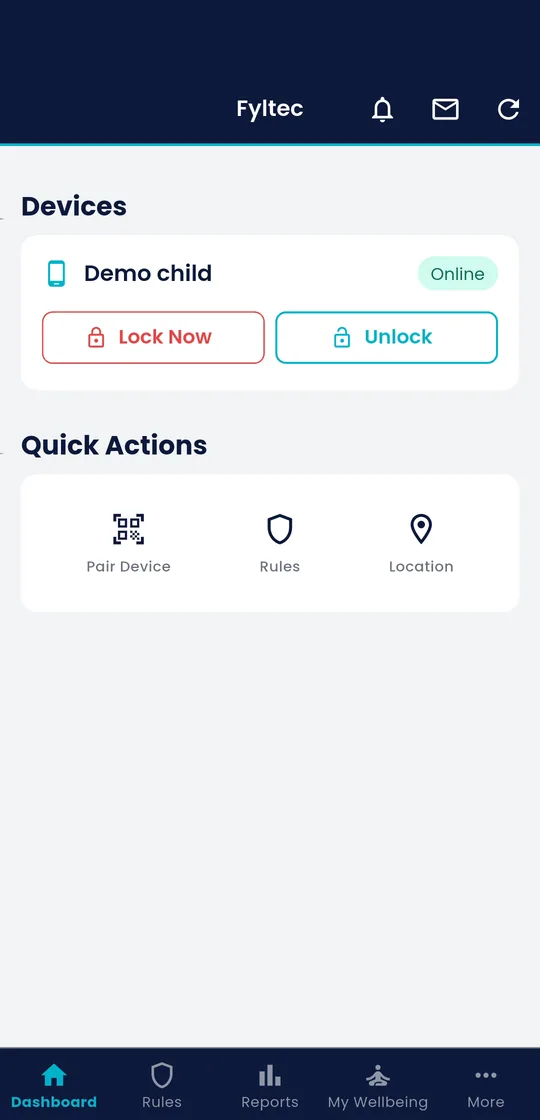
To set it up:
- Open the child’s profile and go to Schedules.
- Create a Bedtime window, for example 9:00pm to 6:00am on school nights.
- Set separate weekend times if you want a later start on Friday and Saturday.
- Save. From then on, the internet pauses automatically at the start time and resumes at the end.
A few things that make Bedtime actually work:
- Charge the phone outside the bedroom where you can. The schedule handles the internet; physical distance handles the temptation to scroll a paused screen.
- Give a warning window. A schedule that snaps off at exactly 9:00 mid-conversation feels punitive. Agreeing “wrap up by 9” as a family norm softens the edge.
- Include your own devices in the spirit of it. Kids notice when the rule only applies to them.
3. Set the Focus (homework) schedule
Bedtime protects sleep; Focus protects attention. During a Focus window, distracting apps and sites are paused so the temptation to “just check something” doesn’t derail a homework session.
- In Schedules, create a Focus window over your agreed homework block.
- Keep it short and specific, 60 to 90 minutes is more realistic than a three-hour blackout.
- If schoolwork genuinely needs the web (research, a learning portal), remember Fyltec’s content filtering keeps working underneath, so you’re quieting distractions rather than cutting the internet entirely.
Focus works best as a support, not a substitute for being in the room. A younger child studies better at the kitchen table near a parent than alone with a filtered tablet. The tool removes the easy distractions; you provide the accountability and the help with the actual maths.
4. Keep it realistic, and revisit it
The schedules most likely to fail are the strict ones. A 7:30pm bedtime internet cut-off for a 16-year-old with genuine group-project chat will simply get circumvented, and now you’ve taught them to route around the rules. Set windows you can actually hold, then tighten only if you need to.
Plan a short check-in every month or so:
- Is the Bedtime window matching real sleep needs, or fighting them?
- Is the Focus block landing when homework actually happens?
- What should change now that they’re older?
Age-graduated is the goal. A 9-year-old and a 15-year-old should not have the same schedule, and a 15-year-old’s should loosen over the year as they earn it. The endpoint is a young adult who can self-regulate, so hand them more of the dial as they demonstrate they can hold it.
Ready to set your first schedule? Every Fyltec plan starts with a 7-day free trial, no card fight, just try it. See plans and pricing.
Frequently asked questions
Will my child be unreachable when the internet pauses at bedtime?
No. Fyltec’s Bedtime schedule pauses internet access, but calls and SMS keep working. Your child can still phone or text you, and you can reach them, it’s a wind-down, not a full device lock.
What if homework genuinely needs the internet?
Use a Focus window rather than a full pause. Focus quiets the distracting apps while Fyltec’s content filtering keeps working underneath, so legitimate research and learning portals stay usable. If a task needs open web access, you can shorten or skip Focus for that session.
My teen says a schedule is treating them like a little kid. What do I say?
Agree the windows with them and frame it as a shared house routine, not a punishment, the same way adults use “do not disturb” and no-phones-at-dinner. Loosen the windows as they get older and show they can self-regulate; a schedule that grows with them feels like trust, not control.
Further reading
- Common Sense Media, Parents’ Ultimate Guide to Parental Controls
- eSafety Commissioner, Screen time advice for parents
- [Fyltec, A parent’s guide to screen time](/blog/a-parents-guide-to-screen time)
- Fyltec, Parental controls: the complete guide